Learn More
Compatible Ink Cartridges

Ink Cartridges Built to Fit the Printer You Already Own

Adoccur makes compatible replacement cartridges for specific HP and Canon cartridge numbers — high-yield "XL" capacity, smart-chip recognition, and black-plus-color combo packs, at a fraction of the OEM price.

See Cartridge Details →
6Cartridge Models
HP + CanonCompatibility
XLHigh-Yield Capacity
Adoccur compatible ink cartridge combo pack

Why Shoppers Choose Adoccur Compatible Ink Cartridges

Adoccur builds aftermarket ink cartridges engineered to replace specific HP and Canon OEM cartridge numbers — from HP 61XL through HP 68e, and Canon PG-240XL through PG-275 — without the OEM price tag. Every cartridge is built to the higher-capacity "XL" standard where the original number supports it, and most ship as a matched black-plus-color combo pack so one order covers text and photo printing alike.

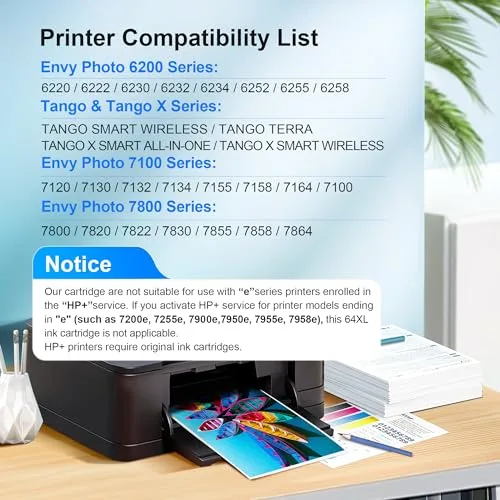
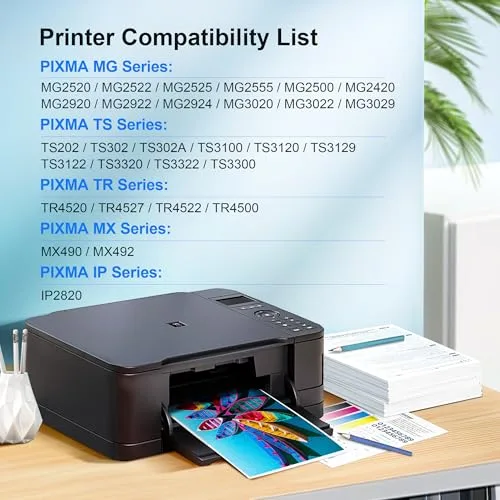
Compatibility is listed by exact printer series and model number on every product here, because the right cartridge depends on your specific printer, not just the brand. Newer Adoccur cartridges also use updated smart chips aimed at reliable recognition and accurate ink-level display on supported printers, cutting down on the guesswork that comes with switching away from OEM ink.

A note on compatibility naming: HP® and Canon® model numbers referenced on this site (such as "65XL" or "PG-275") are used solely to identify which OEM cartridge slot each Adoccur cartridge is built to replace. HP and Canon trademarks, product names and logos belong to their respective owners, and this site and Adoccur are independent of, and not endorsed by, HP Inc. or Canon Inc.

What Makes an Adoccur Cartridge Different

The details that matter once you switch away from OEM ink.

01

Smart-Chip Compatibility

Updated chips on newer Adoccur cartridges are built for reliable recognition and accurate ink-level display on supported printers, instead of guesswork at the ink gauge.

02

High-Yield, Lower Cost Per Page

Every cartridge is built to the higher-capacity "XL" standard where the OEM number supports it — hundreds of pages per cartridge before a reorder.

03

Black + Color Combo Packs

Most cartridge families ship as a matched black-plus-color pack, so one order covers both text documents and photos or graphics.

04

Compatibility Listed by Exact Printer Model

Every listing spells out the specific printer series and model numbers it fits — check your printer’s model number against the list before you order.

05

Openly Labeled as Compatible, Not OEM

Adoccur cartridges are sold and marked as aftermarket replacements engineered to fit specific HP and Canon cartridge slots — never presented as genuine HP or Canon product.

06

Drop-In Installation

Cartridges install the same way as the original: open the access door, swap the cartridge, and most printers auto-align — no special software required.

The Adoccur Cartridge Lineup — UK

Real, in-stock cartridge models — find the OEM number your printer takes and match it below.

HP Compatible Cartridges

Canon Compatible Cartridges

Compare Every Adoccur Cartridge

Pack contents, page yield and compatible printers, side by side.

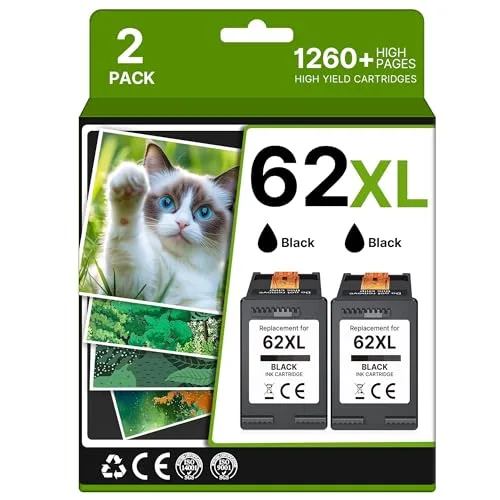
HP 62 / 62XLHP 62 / 62XL
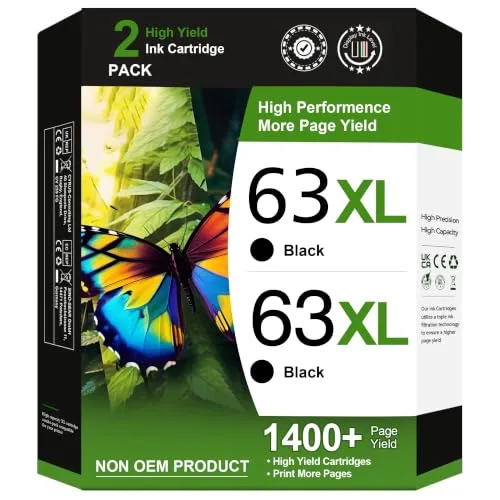
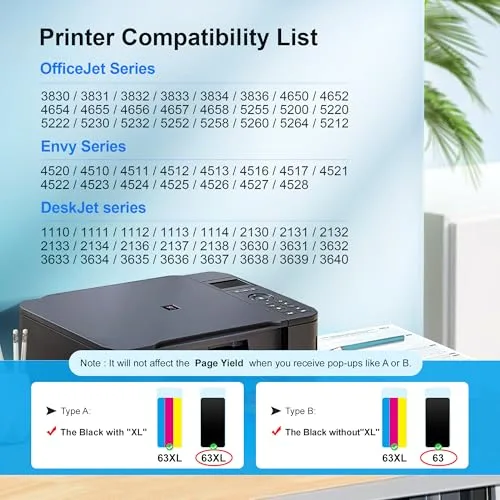
HP 63 / 63XLHP 63 / 63XL
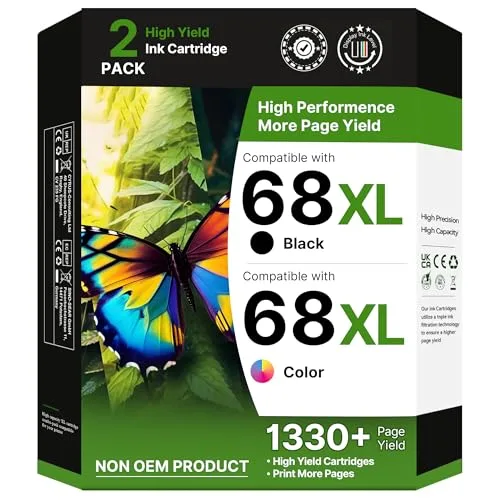
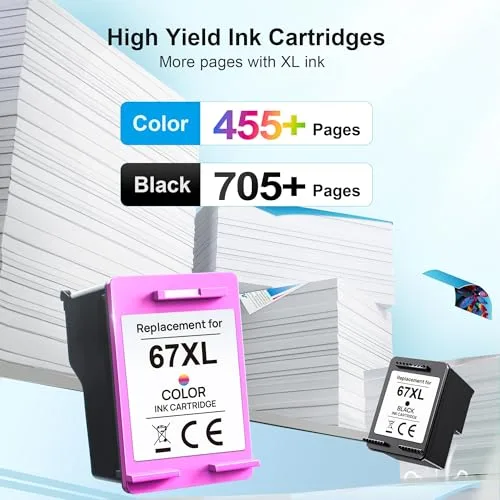
HP 68 / 68eHP 68 / 68e
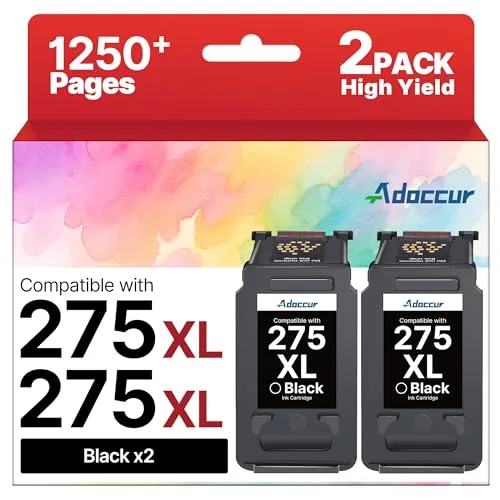
Canon PG-275 / CL-276Canon PG-275 / CL-276
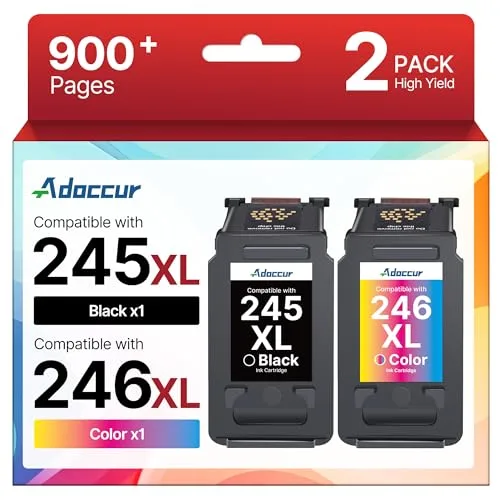
Canon PG-245XL / CL-246XLCanon PG-245XL / CL-246XL
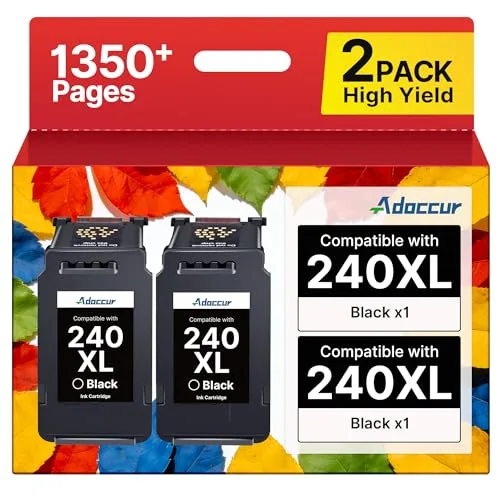
Canon PG-240XL / CL-241XLCanon PG-240XL / CL-241XL
Pack TypeBlack Only (2-Pack)Black Only, High-Yield (2-Pack)Black + Tri-Color Combo (2-Pack)Black Only, High-Yield (2-Pack)Black + Color Combo (2-Pack)Black Only, High-Yield (2-Pack)
Approx. Page YieldUp to ~715 pages black / ~475 pages tri-colorUp to ~700 pages black / ~450 pages tri-colorUp to ~650 pages black / ~450 pages tri-colorUp to ~450 pages black / ~400 pages colorUp to ~500 pages black (245XL), combo adds colorUp to ~610 pages black
Compatible PrintersENVY 5540, 5640, 5660, 7640, 7645 Series · OfficeJet 5740, 8040 · OfficeJet Mobile 200, 250OfficeJet 3830, 4650, 5200, 5255 Series · ENVY 4510, 4512, 4520 · DeskJet 1112, 2130, 3630ENVY 5055 · ENVY 6100e, 6152e, 6155e, 6552e, 6555e SeriesPIXMA TR4700, TR4720, TR4722, TR4723 · PIXMA TS3500, TS3520, TS3522, TS3720, TS3722PIXMA MG2520, MG2522, MG2525 · PIXMA MX490 · PIXMA TS202, TS302, TS3320, TS3322 · PIXMA TR4520PIXMA MG2120, MG2220, MG3120, MG3220, MG3520, MG3620 · PIXMA MX472 · PIXMA TS5120
OEM CompatibilityReplacement / compatible — not sold as OEMReplacement / compatible — not sold as OEMReplacement / compatible — not sold as OEMReplacement / compatible — not sold as OEMReplacement / compatible — not sold as OEMReplacement / compatible — not sold as OEM
Price£51.26£39.79£83.68£47.07£47.63£58.54

See Adoccur Cartridges in Action

A quick look at installation and print quality.

Why Adoccur

What matters once you're actually printing, not just buying.

Black + Color Combo Packs, Ready Out of the Box

Black + Color Combo Packs, Ready Out of the Box

Most Adoccur cartridges ship as a matched combo pack — one high-yield black cartridge and one tri-color (or second black) cartridge together — so a single order covers both text documents and color prints instead of leaving you short on one channel while the other is still full.

Updated Smart Chips for Reliable Recognition

Updated Smart Chips for Reliable Recognition

Newer Adoccur cartridges use updated chips designed to be recognized cleanly by supported printers, so the goal is an accurate ink-level readout and a normal print job instead of a cartridge-error message on your printer's display.

Confirm Your Exact Printer Model First

Confirm Your Exact Printer Model First

Compatibility is listed by specific printer series and model number on every Adoccur listing, and a few printer families — like HP+ enabled models whose name ends in "e" — are called out as unsupported. Matching your printer’s exact model number against the listing before ordering is the single best way to avoid a return.

High-Yield Cartridges Built to Cut Cost Per Page

High-Yield Cartridges Built to Cut Cost Per Page

Adoccur cartridges are built to the higher-capacity "XL" standard, so each cartridge is rated for several hundred pages of black text or photo-quality color before it needs replacing — fewer reorders for the same amount of printing.

Why Customers Choose Adoccur

No star ratings to show yet — here's what actually matters when you switch to compatible ink.

01

Real Savings Over OEM Ink

Compatible cartridges are typically priced well below genuine HP or Canon ink, without changing anything about your existing printer setup.

02

Exact-Fit Confidence

Every product page lists the precise printer series and cartridge number it replaces, so you can match it against your printer before ordering — not guess.

03

High-Yield "XL" Capacity

Most cartridges are built to the higher-capacity XL standard, meaning fewer reorders per document or photo batch.

04

Accurate Ink-Level Reading

Updated smart chips on newer cartridges are designed to be recognized cleanly by supported printers, cutting down on false "low ink" warnings.

05

Standard Drop-In Swap

Installs exactly like the original cartridge — open the access door, swap it in, most printers auto-align. No extra software or printer reset needed.

06

Backed by Amazon’s Return Policy

Every cartridge here is sold and fulfilled through Amazon, so the standard Amazon return window and buyer protections apply to your order.

Frequently Asked Questions

No. Adoccur is an independent, aftermarket brand that manufactures compatible replacement cartridges engineered to work in specific HP and Canon printer models. Adoccur is not HP, not Canon, and not endorsed by or affiliated with either company — the HP and Canon model numbers referenced (like "65XL" or "PG-245") are compatibility references only, used to identify which OEM cartridge slot the replacement fits.
Only if your exact printer model appears in that cartridge's compatible-printer list. Each Adoccur listing spells out the specific printer series and model numbers it fits (for example "OfficeJet 3830, 4650, 5255"), because the same cartridge number can still vary by region or printer generation. Check your printer's model number, usually printed on a label on the printer itself, against the listing before ordering.
"XL" marks the higher-capacity version of a cartridge number, holding more ink than the standard-size version and printing more pages before running out. Real page yields vary by cartridge family — they run from roughly 400 pages up to around 700+ pages per cartridge at standard 5% page coverage — and are listed per product on this site.
Adoccur cartridges are sold as new compatible cartridges built to replace the equivalent OEM part number — not the original manufacturer’s product and explicitly not sold as OEM. They are not advertised as refilled used cartridges. If a specific listing is remanufactured, that is stated directly in its title and bullet points.
In most regions, using a third-party ink cartridge does not by itself void your printer’s hardware warranty — manufacturers generally can only deny a warranty claim if the compatible cartridge is shown to have actually caused the damage. That said, printer-maker policies vary, so if your printer is still under warranty it is worth checking the manufacturer’s own terms first.
Some printers display a warning when they detect a non-OEM cartridge; this is usually informational rather than an error, and printing can typically continue. Adoccur builds its newer cartridges with updated smart chips specifically to improve recognition and ink-level accuracy on supported models, which reduces how often this message appears.
It depends on the specific cartridge family and pack. Most Adoccur listings are sold as a combo pack (one black cartridge plus one tri-color or second cartridge), while a few are sold black-only. The exact pack contents for every cartridge on this site are listed on its product card and in the comparison table.
Not always. Some HP printer models with an "e" suffix are enrolled in HP’s HP+ smart-printing program, which restricts printing with non-HP cartridges by design regardless of the cartridge brand. Check whether your specific printer is HP+ enrolled (this is shown in your printer’s setup app or settings) before ordering a compatible cartridge for it.
Installation matches the process for the original cartridge: open the printer’s ink access door, wait for the carriage to move to the center, remove the old cartridge, remove the protective strip and cap from the new one, and click it firmly into the matching color slot until it locks in place. Most printers run a short automatic alignment or calibration after a cartridge change.
Contact Adoccur through the seller messaging on the Amazon order page, referencing your order number and printer model — real listings direct buyers to reach the brand directly through Amazon rather than a separate support portal. Amazon’s own return policy also applies to the order independently of the seller.